


Windows 11 includes built-in antivirus protection through Microsoft Defender, but many users still wonder whether it’s enough—or whether a dedicated free antivirus can provide better protection against malware, phishing, and ransomware without slowing down their PC.
We compared several popular free antivirus options for Windows 11 based on protection, system impact, features, ease of use, and the amount of advertising or upgrade prompts they display. Here’s how they compare.
Quick Comparison Table
| Antivirus | Best For | Real-Time Protection | System Impact | Upgrade Prompts |
|---|---|---|---|---|
| Microsoft Defender | Most users, zero setup | Yes | Low | None |
| Bitdefender Antivirus Free | Strong malware protection | Yes | Low | Minimal |
| Avast Free Antivirus | Extra security features | Yes | Medium | Frequent |
| AVG AntiVirus Free | Simple antivirus protection | Yes | Medium | Frequent |
| Kaspersky Free* | Strong malware detection | Yes | Low | Occasional |
| Malwarebytes Free | On-demand second opinion | No | Low | Moderate |
Availability and features can vary by country and may change over time.
1. Microsoft Defender (Built Into Windows 11)
Microsoft Defender Antivirus is built into Windows 11 and provides real-time protection without requiring a separate antivirus installation. It works alongside Windows Security features such as Microsoft Defender Firewall and SmartScreen, making it the simplest option for most users.
Pros:
- Already installed, no setup needed
- Tight integration with Windows Security, Firewall, and SmartScreen
- No ads, no upsells, no nag screens
- Low system impact
Cons:
- Fewer extra features (no built-in VPN, password manager, etc.)
- Web protection features are most deeply integrated with Microsoft Edge, while protection in other browsers can depend on additional browser or security features.
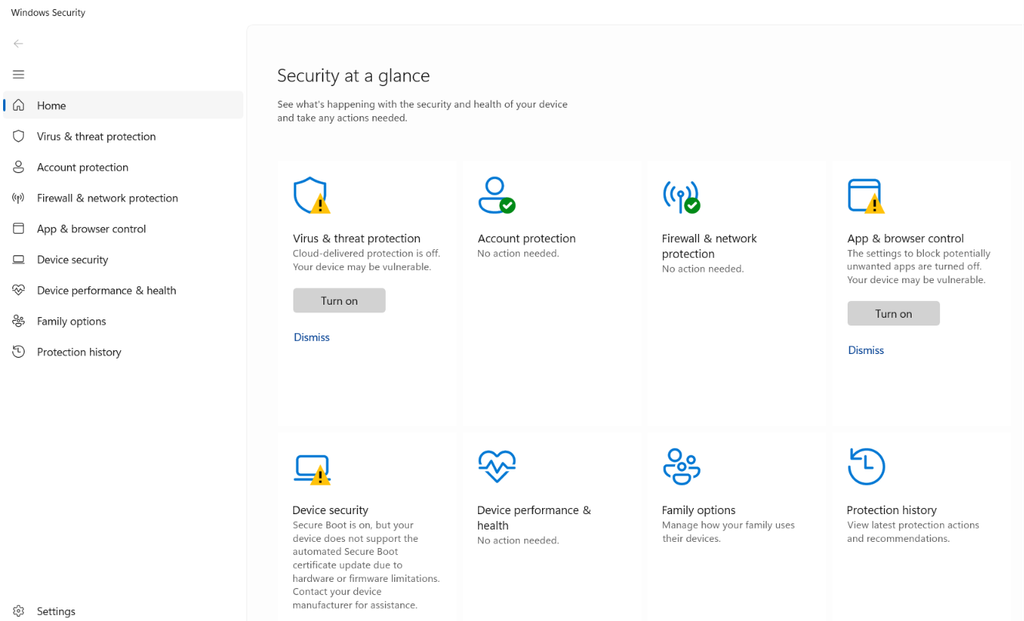
Verdict: For most everyday users who browse carefully and don’t download from sketchy sites, Defender alone is genuinely enough in 2026.
2. Bitdefender Antivirus Free
Bitdefender Antivirus Free is a lightweight option for users who want third-party antivirus protection without a complicated interface. Bitdefender’s products have also been evaluated by independent security-testing organizations, although test results can vary by product version and testing period.
Pros:
- Excellent malware detection rates
- Very light on system resources
- Simple, distraction-free interface
Cons:
- Limited configuration options for advanced users
- No firewall (relies on Windows Firewall)
Verdict: Bitdefender Antivirus Free is one of the strongest alternatives to Microsoft Defender if you prefer a dedicated third-party antivirus with a simple interface.
3. Avast Free Antivirus
Avast packs a surprising number of extras into its free version — Wi-Fi network scanning, a basic password manager, and a browser cleanup tool. Detection rates are solid, but the trade-off is a noticeably more “salesy” experience, with regular prompts nudging you toward Avast One or Avast Premium.
Pros:
- Feature-rich for a free product
- Decent detection scores
- Wi-Fi security scan is a nice bonus
Cons:
- Frequent upgrade prompts
- Slightly heavier on system resources than Defender or Bitdefender
- Avast has faced past scrutiny over user-data practices, so privacy-conscious users may want to review its current privacy policy before installing it.
Verdict: Good if you want extra tools bundled in and don’t mind the occasional popup.
4. AVG AntiVirus Free
AVG and Avast are both part of Gen Digital, which also owns brands including Norton and Avast. It shows similar engine, similar detection rates, similar upsell behavior. It’s a reasonable choice if you specifically prefer AVG’s interface, but there’s no real advantage over Avast for most people.
Pros:
- Solid, familiar detection engine
- Simple setup
Cons:
- Frequent promotional prompts
- Largely redundant if you’re also considering Avast
Verdict: AVG Free is a reasonable choice if you prefer its interface, but there is little reason to choose it over Microsoft Defender or another free option solely for malware protection.
5. Kaspersky Free
Kaspersky has historically performed strongly in independent antivirus testing, but its availability and regulatory status vary significantly by country. In some markets, restrictions or government advisories may affect whether individuals or organizations can use Kaspersky products.
Pros:
- Historically strong malware detection
- Generally low system impact
- Full antivirus capabilities in supported markets
Cons:
- Banned in the United States due to Department of Commerce regulatory prohibitions; software updates and sales are disabled for US users.
- Regulatory and trust concerns may matter to some users
- Not suitable for every organization or environment
Verdict: Kaspersky can be technically capable where it is legally and officially available, but users should check current local regulations and organizational policies before installing it.
6. Malwarebytes Free
Malwarebytes Free isn’t a full-time antivirus — it doesn’t run continuous real-time protection in the free version. Instead, it’s built for on-demand deep scans, which makes it a great second opinion tool to run alongside Defender rather than a replacement for it.
Pros:
- Excellent at catching things real-time AVs sometimes miss
- Great for removing stubborn adware/PUPs
Cons:
- No real-time protection on the free tier
- Cannot serve as a primary real-time antivirus replacement.
Verdict: Malwarebytes Free is best treated as an on-demand second-opinion scanner rather than a replacement for a real-time antivirus. It can be useful when troubleshooting suspicious behavior or checking a system for potentially unwanted software.
So, What’s the Best Free Antivirus for Windows 11 in 2026?
- Want the simplest option? Stick with Microsoft Defender—it is built into Windows 11 and requires no separate installation.
- Want a dedicated third-party antivirus? Bitdefender Antivirus Free is a strong option with a straightforward interface.
- Want additional security features? Avast Free Antivirus offers more bundled tools, although it also shows more upgrade prompts.
- Prefer AVG? AVG Free provides similar core protection and may appeal if you prefer its interface.
- Want an on-demand second opinion? Malwarebytes Free can be used for manual scans alongside your primary antivirus.
Considering Kaspersky? Check current availability, regulations, and organizational policies in your country first.
For most people, the simplest setup is to keep Microsoft Defender enabled, install Windows and browser updates promptly, and practice safe browsing and downloading. Malwarebytes Free can be used as an optional on-demand second opinion if you suspect something is wrong with your PC.
FAQ
Q: Is Microsoft Defender enough for Windows 11 in 2026?
For most everyday users, yes. It scores well in independent tests and integrates directly with Windows Security. Users who download files frequently from unfamiliar sources may still want a second scanning tool as backup.
Q: Can I run two antivirus programs at once on Windows 11?
Running two real-time antivirus engines together can cause conflicts and slow your PC down. It’s safer to run one real-time antivirus (like Defender) plus an on-demand scanner (like Malwarebytes) rather than two full-time programs.
Q: Do free antivirus programs actually work, or do I need to pay?
Free antivirus products can provide strong baseline protection, but their performance varies by product and testing period. Independent organizations such as AV-TEST and AV-Comparatives regularly evaluate antivirus products under controlled conditions.
Q: Does antivirus software slow down Windows 11?
Lightweight options like Defender and Bitdefender have minimal impact on performance. Heavier suites with lots of bundled features (like Avast or AVG) can use more background resources.
Windows 11 Won’t Boot, see our guide on Windows 11 Won’t Boot? 10 Fixes That Actually Work.


